




Blog
IPS vs UPS for Home Servers and NAS Backup in Bangladesh

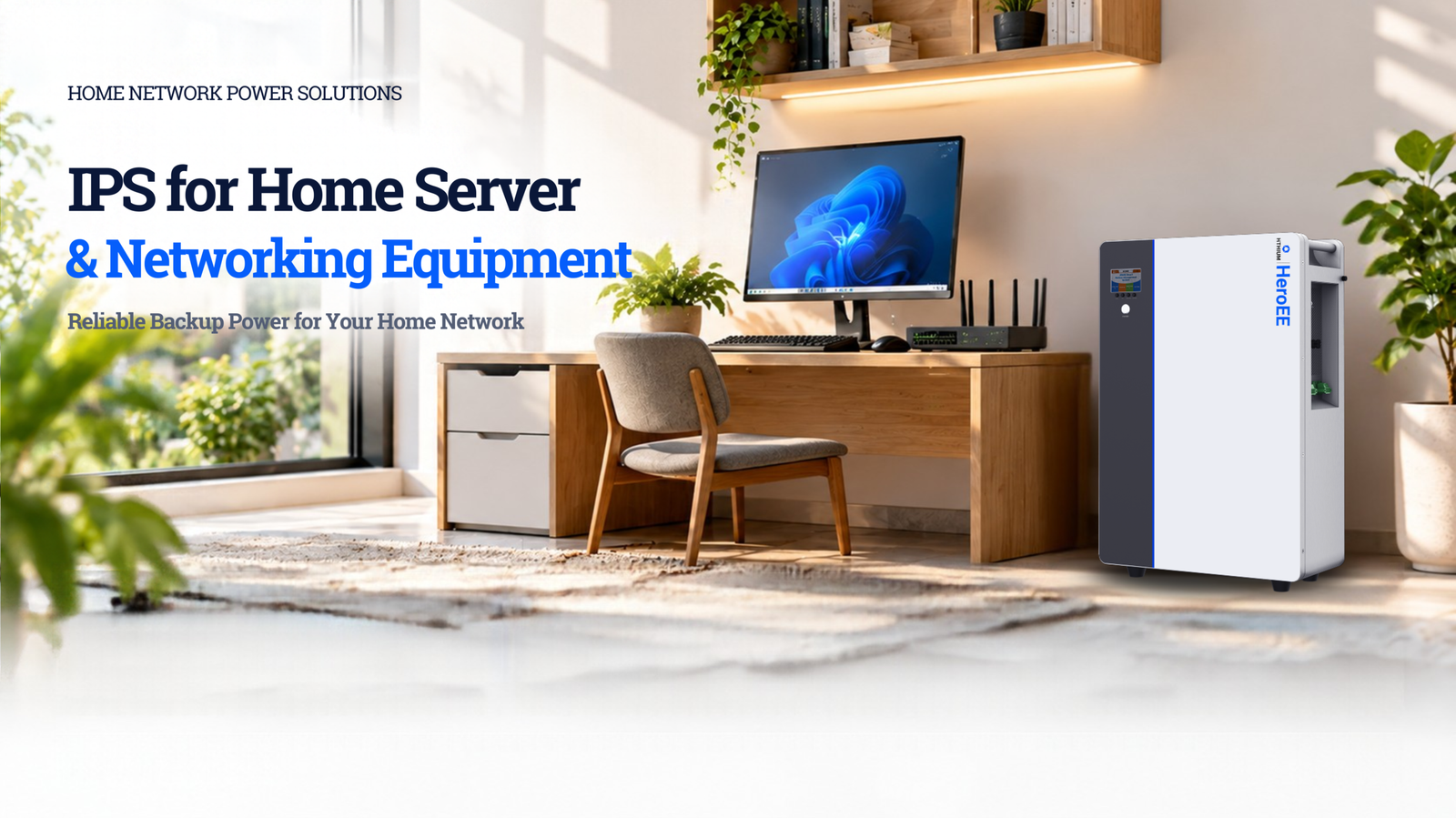
In Bangladesh, where load shedding and power fluctuations are common, your home server and networking equipment need reliable backup power. A dedicated IPS ensures your servers, routers, modems, and NAS devices stay online during outages—keeping your home network, security cameras, and smart home systems running 24/7.
Whether you run a home lab, manage a media server, or simply need uninterrupted internet for remote work, the right IPS protects your equipment from data loss, corruption, and hardware damage caused by sudden power cuts. With the rise of remote work and home offices in Bangladesh, reliable power backup for networking equipment has become essential.
What Can a Home Server IPS Run?
A typical home server setup includes:
- Network router and switch (10-30W)
- Modem/fiber optic terminal (5-15W)
- NAS (Network Attached Storage) (20-100W depending on drives)
- Home server PC (50-150W)
- Security cameras and NVR (20-50W)
Total typical load: 100-350W — well within the capacity of a 500VA to 1000VA IPS unit. If you also run a CCTV system, factor in an additional 50-100W for the NVR and cameras. For comprehensive load planning, refer to our IPS load calculation guide.
Best IPS Options for Home Server Backup
For continuous server and networking equipment operation, consider these HiTHIUM options:
HiTHIUM HeroEE Light 1 (1004Wh)
The HiTHIUM HeroEE Light 1 is a compact 1004.8Wh intelligent lithium IPS with 500W output—perfect for running routers, switches, and small servers during load shedding. Its LiFePO₄ battery provides up to 11,000 charge cycles and zero maintenance. This model is ideal for home office setups where you need 2 hours of backup for essential networking equipment.
HiTHIUM HeroEE 2 (2kWh)
For more demanding setups with multiple NAS drives and compute nodes, the HiTHIUM HeroEE 2 delivers 2kWh capacity with 1000W pure sine wave output. This ensures clean power for sensitive electronics and extended runtime during outages. It can power a full home server setup for 2 hours, covering even the longest load shedding sessions.
IPS vs Traditional Server UPS: Which Is Better?
A traditional server UPS uses lead-acid batteries that need replacement every 2-3 years. A LiFePO₄ IPS lasts 15-25+ years with zero maintenance, provides pure sine wave output, and is solar-compatible. For home server use, an IPS offers significantly better long-term value. Compare the two options in detail in our IPS vs inverter comparison.
The pure sine wave output is critical for sensitive networking equipment. Cheap UPS units often produce modified sine waves that can cause subtle damage to routers, NAS drives, and server power supplies over time. LiFePO₄ IPS units deliver clean, stable power that protects your investment.
How to Calculate Your Server IPS Runtime
To estimate how long your IPS will power your home server setup:
- Add up the wattage of all devices
- Divide the IPS capacity (in Wh) by total wattage
- Account for 80% efficiency
Example: A 200W home server setup with a 1000Wh IPS = approximately 5 hours of backup. For detailed calculations, use the IPS backup time calculator to get precise runtime estimates for your specific equipment.
Installation Tips for Home Server IPS
- Location: Place IPS in a well-ventilated area away from direct sunlight. LiFePO₄ batteries perform best between 20-30°C.
- Wiring: Use appropriate cable sizes for your load. Follow the step-by-step installation guide for proper setup.
- Grounding: Ensure proper earthing to protect equipment from electrical surges.
- Monitoring: Choose a WiFi-enabled IPS to monitor battery status and runtime remotely — essential for unattended servers.
- Battery placement: Keep the IPS unit close to your server equipment to minimize cable length and voltage drop.
Why Home Servers Need Dedicated Backup
Unlike desktop computers that can shut down gracefully during a power cut, home servers and NAS devices run continuously. Sudden power loss can corrupt filesystems, damage hard drives, and cause data loss. A LiFePO₄ IPS provides the clean, uninterrupted power that always-on equipment demands.
For users with critical data, consider adding a solar charging setup to extend runtime during extended outages. This combination ensures your home server stays online even during multi-hour load shedding sessions common in Bangladesh. Learn more about IPS for small offices if your setup extends beyond a home environment.
Real-World Scenario: Home Office Setup in Dhaka
Consider a typical remote worker in Dhaka running: a WiFi router (15W), fiber modem (8W), NAS with 2 drives (40W), and a mini server (60W). Total load is approximately 118W. With a HiTHIUM HeroEE Light 1 (1004.8Wh), this setup runs for about 2 hours—enough to cover any standard load shedding session. Adding a solar panel extends this indefinitely during daylight hours.
FAQ: IPS for Home Server and Networking
Can an IPS run my home server 24/7?
An IPS provides backup power during outages, not continuous 24/7 operation. However, with a LiFePO₄ IPS, your server can run for 4-8 hours during load shedding, which covers most outages in Bangladesh. Pair with solar for extended runtime. See our solar + LiFePO4 cost analysis for budgeting.
What size IPS do I need for a NAS and router?
A NAS and router typically consume 50-150W combined. A 500VA to 1000VA LiFePO₄ IPS provides 2-4 hours of backup, which is sufficient for most load shedding sessions. Use the load calculation guide for your specific setup.
Is LiFePO₄ better than lead-acid for server backup?
Yes. LiFePO₄ lasts 15-25+ years vs 2-3 years for lead-acid, requires zero maintenance, provides pure sine wave output, and handles frequent charge cycles better. For always-on equipment like servers, the long-term savings are significant.
Do I need a pure sine wave IPS for my home network?
Absolutely. Networking equipment like routers, switches, and NAS devices are sensitive to power quality. Modified sine wave output from cheap UPS units can cause gradual damage to power supplies and reduce equipment lifespan. All HiTHIUM IPS units provide pure sine wave output.
Can I monitor my IPS remotely?
Yes, HiTHIUM WiFi-enabled IPS models allow remote monitoring via a mobile app. This is essential for home servers that run unattended—you can check battery status, runtime estimates, and power consumption from anywhere.
